

Just want the template? Download it here: My Parts
I recently learned about Internal Family Systems (IFS) and it’s already making an incredible difference in how I show up for myself, in my relationships, and even at work. IFS is a new approach to mapping the mind, and it also happens to be a #1 Best Seller in its category on Amazon. Here’s a great overview of IFS in 8 minutes:
With recent advancements in artificial intelligence, I wondered: can AI help people connect with their parts? What happened next was so profound that I had to find a way to share it. Introducing Parts Companion.
I created a video guide to demonstrate working with Parts Companion and to help with the My Parts template. This article and the video are complimentary, so feel free to start with either one.
In short, rather than seeing the mind as a monolithic voice that often contradicts itself, IFS sees the mind as a collection of parts that sometimes have conflicting desires and motives. For example, you might have one part that strongly believes completing everything at work is an important ethic, and you might have another part that strongly believes being a good partner means being home on time for dinner.
Importantly, everyone has their own unique parts. Since parts develop through impactful life experiences, my parts will be different than yours (though some of our parts might identify with each other if we’ve had similar life experiences).
I hear you! And I completely validate your skepticism. I went into this experiment expecting unhelpful or even bad advice. But when I started talking with Parts Companion, I was shocked at how well it seemed to intuitively understand what might be going on with me. It made valid observations about which parts might be getting along and which parts might be having conflict. Often, when “checking in” with my parts, I’ve been delighted to find its hunches were correct! The suggestions it’s offered for exploration have already helped me come to new and important realizations about myself. They’ve helped me uncover why certain situations always trigger stress, and even helped me identify conversations I can have with blended (activated) parts to help me get back to feeling calm and present. Parts Companion doesn’t do the work for me. But it certainly offers meaningful questions and exercises that facilitate doing the work for myself.
Since every person has their own unique parts, it’s important to tell Parts Companion about yours. That way it can offer the most helpful and personal suggestions to you. If you don’t already know your parts, don’t worry! Parts Companion can help with that too. Just tell Parts Companion about some of your internal conflict and ask it to suggest names and potential goals for the parts. Remember, these must “feel right” for you! Don’t just accept what it tells you. If something doesn’t feel right, tell Parts Companion what feels wrong and it’ll try again.
As you get to know your parts, it’s helpful to write things down. This not only helps you to reflect, but it’s also immensely valuable when starting new conversations with Parts Companion. To facilitate things, I created the “My Parts” template, which you can download here:
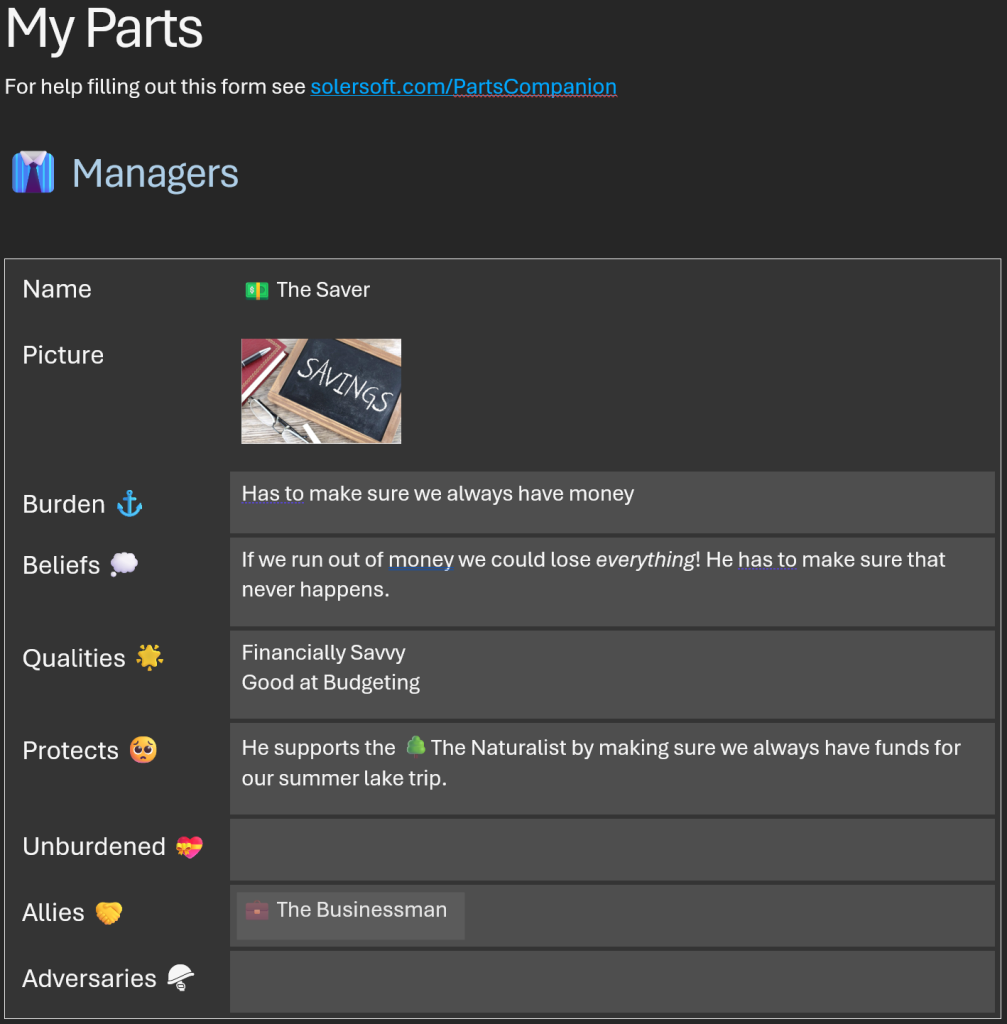
Whenever you complete or update your template, you can upload it to the conversation using the paperclip icon:

Parts Companion will read the document and instantly know about your parts. It’ll even give you a quick summary of parts, so you can make sure it understood what you uploaded.
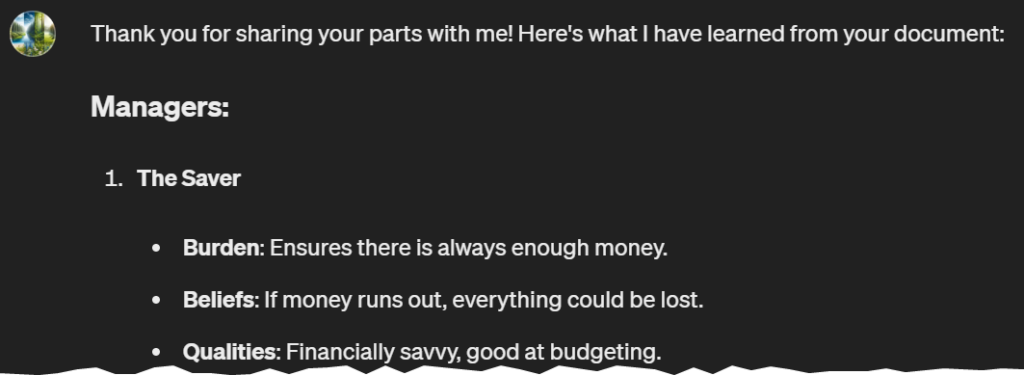
It’s a good idea to keep your copy of this document updated as you learn more about your parts. Any time you make an update, just upload the document to Parts Companion again.
Here’s the full IFS glossary, but below are my notes about the terms you’ll see in the template. Please don’t feel overwhelmed if you don’t have answers for everything! The only field that’s required is a name for the part. Everything else is optional, and most of these details will emerge on their own as you chat with Parts Companion or talk with someone trained in IFS.
Not at all! You can just start talking with Parts Companion, or even upload a document in a different format. I do highly recommend using a document of some kind, though, since upgrading to a new version of Parts Companion will cause you to lose chat history and have to start over. (This is a limitation of all custom GPTs.)
If you’d like to use your own document, just make sure it describes your Managers, Firefighters, Exiles and Supporters. Ideally the document would also describe the Burdens and Beliefs each part has, as well as the Qualities and relationships between parts. Finally, I recommend naming the document MyParts.docx since Parts Companion looks for that file name when handling updates. But if you always start a new chat when uploading your document, the file name isn’t important.
Like other custom GPTs, Parts Companion should be available for free now to all supported regions. OpenAI does limit the number of messages free accounts can send each day, but most of the people I’ve spoken with on the free tier said it met their needs.
Whether OpenAI can train on information shared with Parts Companion is controlled by your own settings under Account > Settings > Data Controls. As the Builder of Parts Companion, I always opt out of any options related to data sharing for training purposes. I’m comfortable with the privacy options available to me and I use Parts Companion weekly. But I do recommend anyone considering a custom GPT review Introducing GPTs to make their own informed decisions. Finally, it’s worth noting that even as the Builder, I’m not able to personally see any of the documents or chat history you share with Parts Companion.
Yes! The Contact button at the top of this page provides several options for getting in touch with me. There’s also a subreddit specifically for this bot at /r/PartsCompanion.
I hope you find Parts Companion helpful!

